A small one today: if you attach an .eml file to a transaction or invoice, Financica now renders it inline instead of showing the "no preview available" fallback.
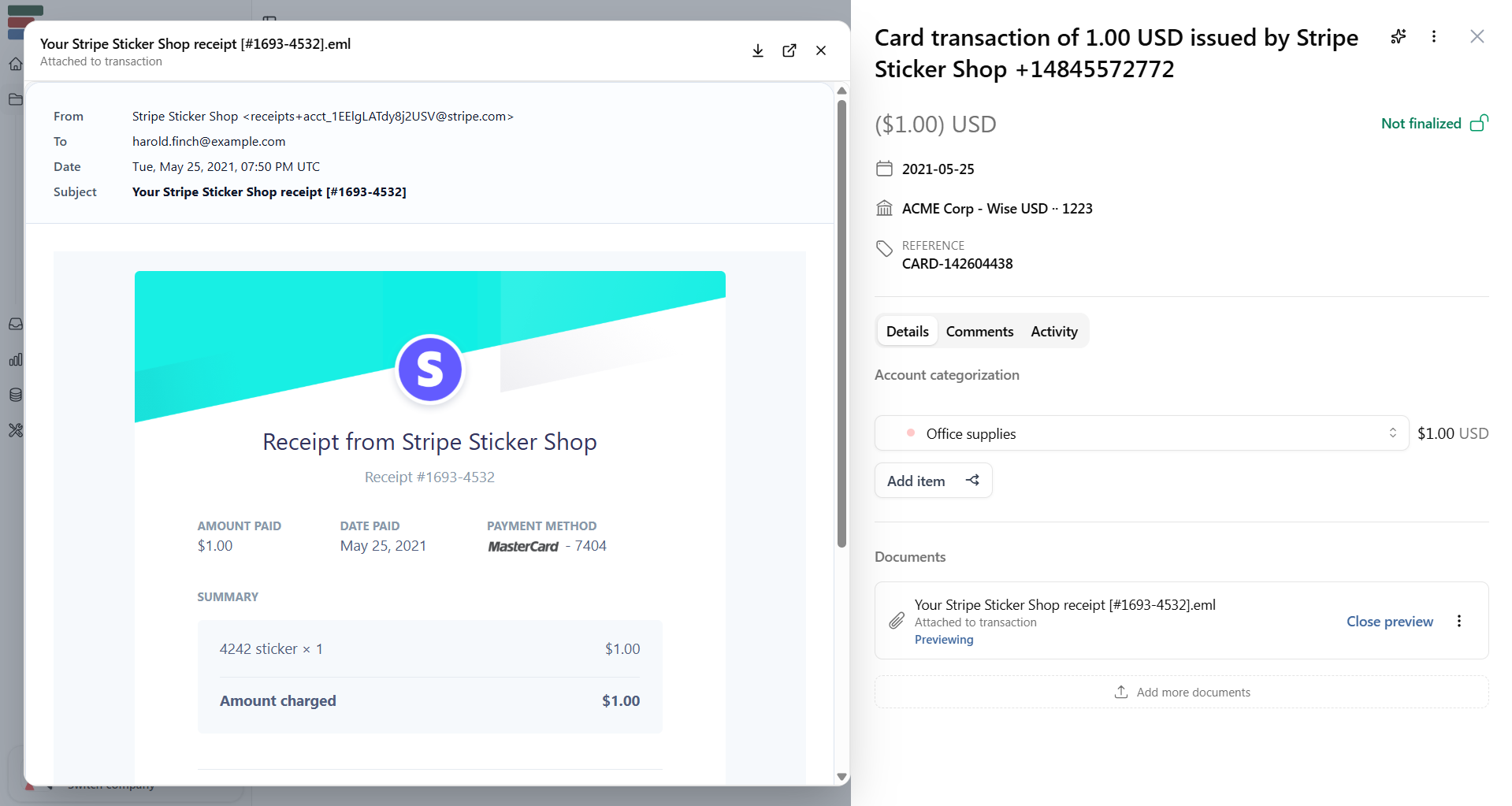
The preview shows the email headers (from, to, date, subject) and the full message body. It works the same way PDF and image previews do: click the document in the sidebar and it opens in the preview panel.
A lot of receipts and invoices arrive by email. If you save the original email as an .eml file and attach it to a transaction, you now get a readable preview instead of just a filename. Useful when you need to check what a vendor actually wrote, or when your accountant wants to see the original correspondence alongside a receipt.
Available now on both transaction and invoice detail pages.